Enterprise-Grade Account Isolation

Multi Account Browser for

Managing Accounts Safety

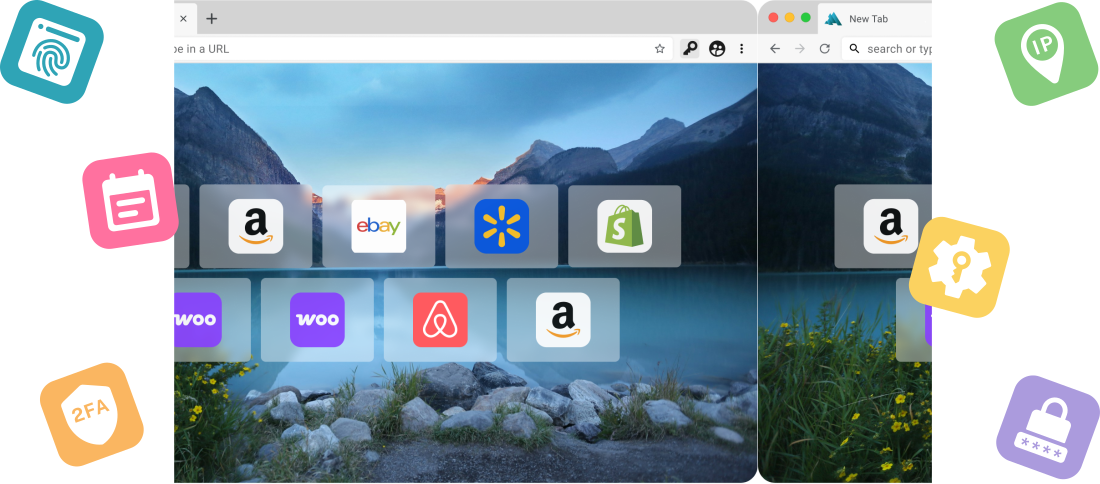
Manage multiple accounts in their own browser identities —each completely isolated with its own IP address, fingerprint, and tracking information—so your accounts stay separate and secure, without VPS or virtual machines.
KEY FEATURES
Key Features Built for Safe,
Scalable Account Management
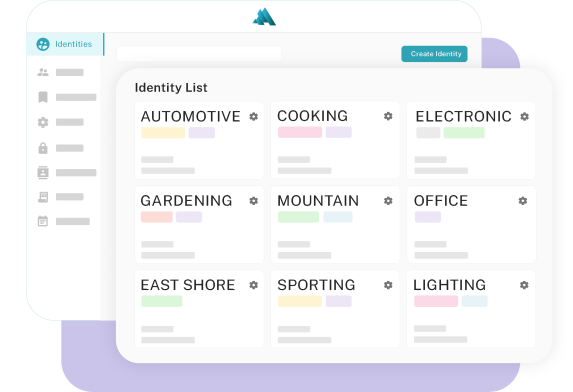
Isolated Browser Identities
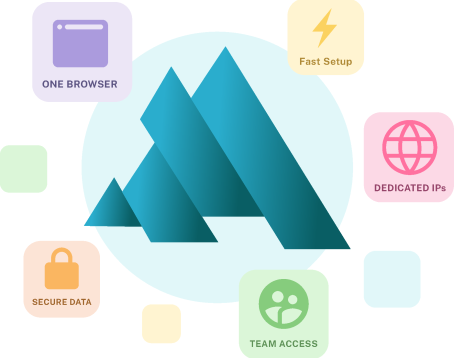
Each account runs in its own fully isolated identity, with unique IP address, fingerprint, cookies, and device data- preventing accounts from being linked or correlated.
Dedicated, Static IP per Identity
Each identity operates with its own static IP address that belongs solely to that Identity. Nobody else shares your IP - for the life of the Identity and beyond.
More Than Just IP Isolation
Platforms track more than just IP addresses - browser details, font lists, screen size, computer hardware, unique user behaviors - all of these, and many more, are used by websites to determine who you are. MirageID ensures each identity operates as a consistent, independent user - regardless of the metrics being used for tracking.
Integrated Password Management
Securely manage login credentials and share access within each identity using trusted tools like 1Password. Never share passwords across team members again
Built-In 2FA Authenticator
Handle two-factor authentication directly within the browser - without relying on text messages or external authenticator apps. Makes it easy to securely share access with team members and virtual assistants.
Team & Virtual Assistant Access Control
Grant access to identities without exposing sensitive information. Assign identities to team members and control how accounts are accessed.
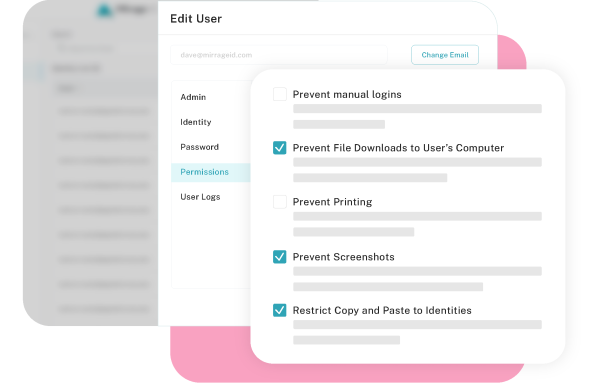
Permission Controls
Set clear boundaries on what virtual assistants and employees can and cannot do within each identity.
Activity Tracking &Audit Logs
Monitor account activity across your team with detailed audit logs - so you always know what actions are being taken on your accounts and when.
Isolated Browser Identities
Each account runs in its own fully isolated identity, with unique IP address, fingerprint, cookies, and device data- preventing accounts from being linked or correlated.
Dedicated, Static IP per Identity
Each identity operates with its own static IP address that belongs solely to that Identity. Nobody else shares your IP - for the life of the Identity and beyond.
More Than Just IP Isolation
Platforms track more than just IP addresses - browser details, font lists, screen size, computer hardware, unique user behaviors - all of these, and many more, are used by websites to determine who you are. MirageID ensures each identity operates as a consistent, independent user - regardless of the metrics being used for tracking.
Integrated Password Management
Securely manage login credentials and share access within each identity using trusted tools like 1Password. Never share passwords across team members again
Built-In 2FA Authenticator
Handle two-factor authentication directly within the browser - without relying on text messages or external authenticator apps. Makes it easy to securely share access with team members and virtual assistants.
Team & Virtual Assistant Access Control
Grant access to identities without exposing sensitive information. Assign identities to team members and control how accounts are accessed.
Permission Controls
Set clear boundaries on what virtual assistants and employees can and cannot do within each identity.
Activity Tracking &Audit Logs
Monitor account activity across your team with detailed audit logs - so you always know what actions are being taken on your accounts and when.

MirageID is a multi account browser designed to help you run and manage multiple accounts safely, without the risk of accounts being linked, correlated, or suspended.

ABOUT

What is a Multi-Account Browser?

A multi-account browser allows you to run multiple accounts in separate, isolated environments so the accounts don’t get linked, correlated, or suspended by platforms

Each account operates in its own browser identity, with unique tracking data such as IP address, cookies, and fingerprints - making it appear as a completely separate computer and network.

RISKY

Why Managing Multiple Accounts is Risky

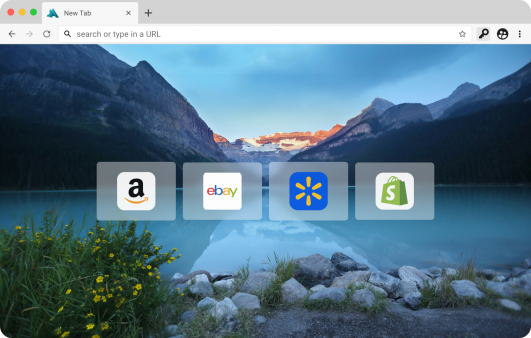
Many platforms - such as Amazon, Shopify, and Walmart - use advanced tracking systems to monitor user behavior. They don’t just look at logins. They track IP addresses, browser fingerprints, cookies, device data, and much more to determine whether accounts are connected. If multiple accounts share the same computer, they can quickly become linked or correlated - even if you think you’re being careful. Once that happens, platforms can suspend or shut down all associated accounts, often without warning.

To avoid this, many users resort to complicated setups like

Separate computers for each account

VPS Server

Virtual Machines

But these approaches are expensive, difficult to manage, and nearly impossible to scale - especially if you’re working with teams or virtual assistants.

SOLUTIONS
How MirageID Solves This

MirageID eliminates the risk of accounts being linked, correlated, or suspended by giving each account its own fully isolated identity.

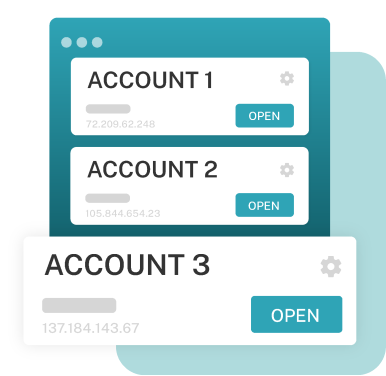
Each identity operates as a completely separate environment - with its own IP address, fingerprint, cookies, device data, and more - so platforms see every account as a different user on a different computer on a different network

Proper separation is critical in all cases when managing multiple accounts. Without isolated environments, accounts can become unintentionally linked to your, or other peoples, accounts due to shared devices, networks, or tracking data. MirageID ensures each account operates independently - helping you maintain clean, compliant operations at scale.

Unlike traditional anti-detect browsers that rely hiding or rotating tracking data to evade detection, MirageID takes a different approach. MirageID creates fully isolated, static environment identities, allowing you to operate multiple accounts, each as a unique, consistent individual.

Rather than relying on complex setups like VPS servers, virtual machines, or multiple computers, MirageID lets you manage everything from one place. You can create multiple identities instantly, run them at the same time, switch between them seamlessly, and scale your operations without added complexity.

Built for teams, MirageID also allows you to securely manage access for virtual assistants and employees - without sharing passwords - while maintaining full control over each account environment.

WHY CHOOSE US
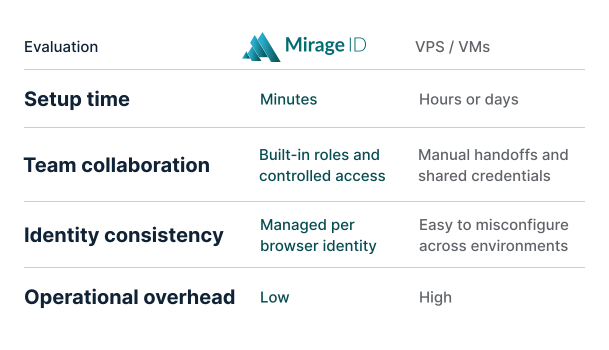
Why Not VPS, Virtual Machines, or Multiple Computers?

Many people try to manage multiple accounts using Virtual Private Servers, Virtual Machines, or even separate physical computers.

While these setups can work with care and complex setup, they come with significant downsides - they’re expensive, time-consuming to manage, difficult to scale, and challenging to share.

For experienced users, this often means constantly maintaining environments, switching between systems, and dealing with technical overhead.

For teams, it becomes even more complicated - making it hard to securely share access or manage multiple users efficiently.

MirageID replaces this with a simple, unified solution - allowing you to create fully isolated identities without additional infrastructure.

TARGET
Who MirageID Is Built For
Ecommerce Sellers
Run multiple Amazon, Shopify, or Walmart accounts safely - without risking bans, correlation, or suspension.
Agencies Managing Client Accounts
Keep client accounts fully separated and secure. Manage multiple accounts across platforms without overlap, and maintain clean, isolated environments for each client
Teams & Virtual Assistants
Give virtual assistants and team members access without sharing passwords. Control permissions, monitor activity, and manage accounts securely at scale.
FAQ
Frequently Asked Questions
What is a multi-account browser?
A multi-account browser allows you to run multiple accounts in separate, isolated environments so they don’t get linked, correlated, or suspended by platforms.
How does MirageID prevent accounts from being linked?
Each account runs in its own isolated browser identity, with unique IP address, fingerprint, cookies, device data, and much more - making every account appear as a completely separate computer.
Do I need a VPS or virtual machine to use MirageID?
No. MirageID replaces the need for Virtual Private Servers, Virtual Machines, or separate computers by allowing you to create isolated environments directly within the browser.
Is it safe to manage multiple accounts from one browser?
Yes - when each account is fully isolated. MirageID ensures complete separation between accounts, eliminating the risk of technical correlation or suspension.
Can I use MirageID with virtual assistants or team members?
Yes! MirageID allows you to securely share access to accounts without sharing passwords, while maintaining full control over permissions and activity.
GET STARTED NOW
Start Managing Multiple Accounts Safely
Run multiple accounts, manage your team, and scale your operations without risk - no VPS or complex setups required.